01 / The problem
Checking an ad before it ships
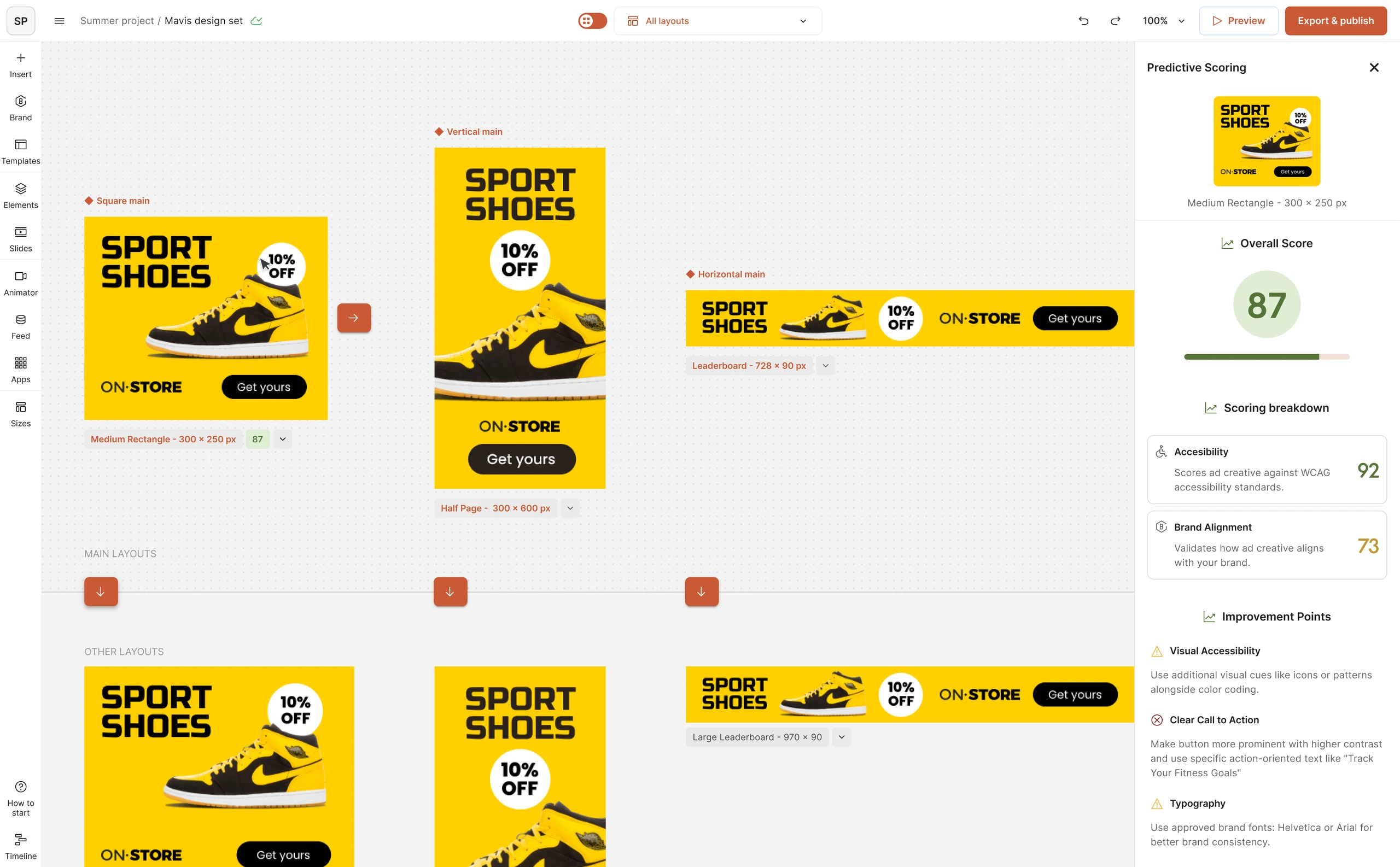
Most people making ads on The Brief aren’t brand managers or accessibility experts. As AI made it faster to produce more ads, they needed a way to know an ad was on brand and met WCAG before it shipped. The goal was to put that check inside the editor, in language anyone could act on.
02 / How it works
A number, and the reasons behind it
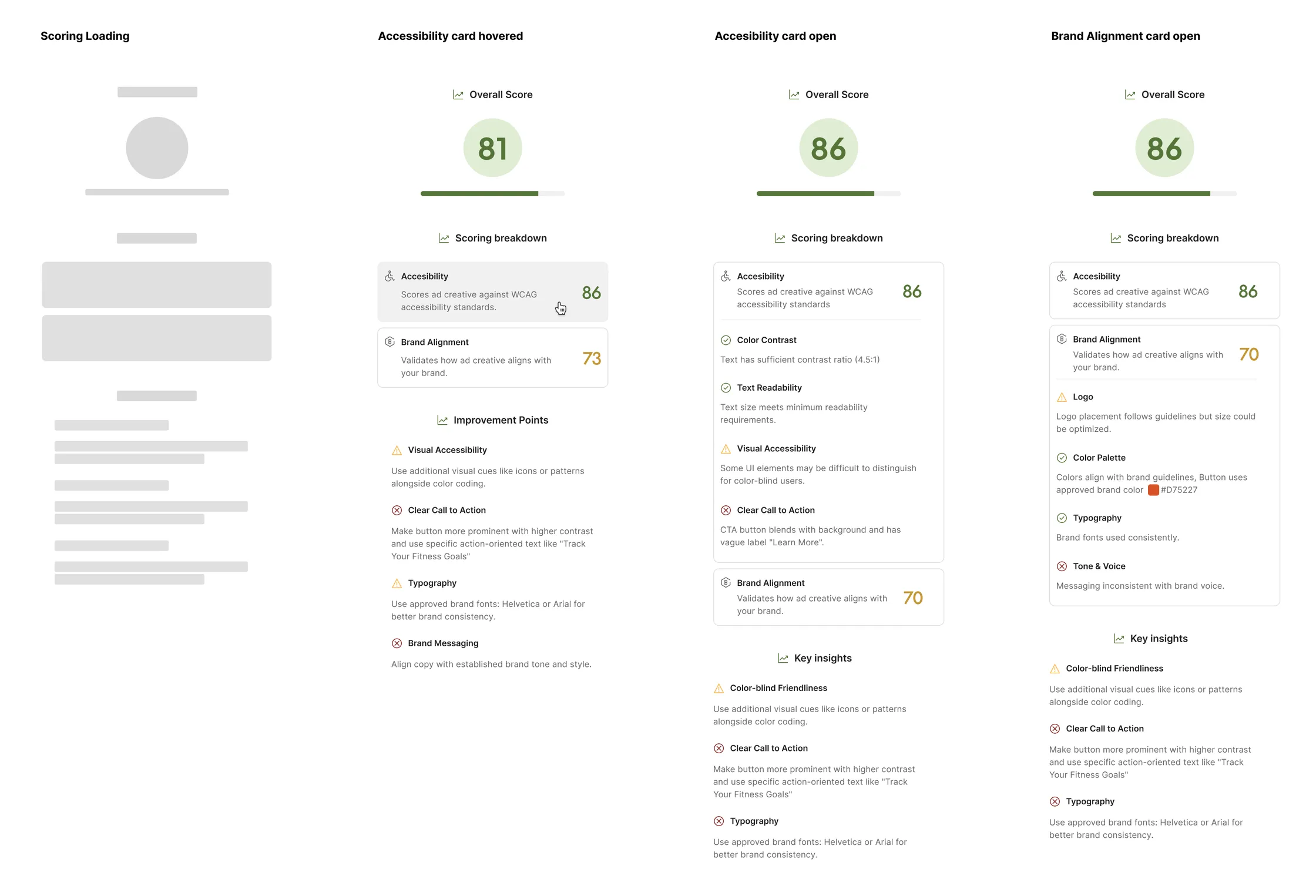
Each size gets an overall score out of 100, split into Accessibility, checked against WCAG 2.1 AA, and Brand Alignment, checked against the rules defined in the Brand Kit. Every check passes, warns or fails, with a plain-language reason and, where it applies, what to change.
03 / Constraints
What shaped it
- Scan cost and speed
- Every score is an AI scan, which costs money and takes time. Scoring on every edit wasn’t practical.
- The Brand Kit sets the bar
- Brand Alignment checks against the rules a team defined in its Brand Kit. A thin kit means a thin check.
04 / Decisions
Four calls, and what each one cost
- On demand, per size
- A score runs when you ask for it on a size, and the result is cached. After you edit, the sidebar says the ad has changed and offers a re-score. That means a score can be out of date until you run it again.
- Advice you can ignore
- Export was never blocked. A low score explains the problem and, where it applies, what to change, and the decision stays with the person making the ad. Nothing forces a fix.
- Plain language, with the fix attached
- People don’t think in contrast ratios, so every check says what’s wrong and what to do about it, citing the measurement where there is one, like a 4.5:1 contrast ratio or the approved brand colour. Translating each technical rule into advice a non-designer could act on was a large part of the work.
- The score travels with the work
- Reviewers see the score on shared preview links, next to each size that was measured. A low score is on show to everyone reviewing the set.


05 / Outcome & takeaway
What happened next
- Impact
- It wasn’t on the market long enough to gather usage data I can share. In testing, more than half the people who got a low score went back and improved the ad. That’s an observation from testing, not a production metric.
- Process
- I explored the first versions in Figma Make, and parts of that UI carried through into the final prototype and the handoff to engineering.
- Next
- The next step was a one-click AI fix.
- Takeaway
- If I did it again, I’d give people a way to mark a flag as wrong from the start. It protects trust in the score, and the dismiss rate would have told us how accurate the model was. I explored it for Create Agent, but it didn’t ship while I was there.