The generative features I designed and shipped in Ad Studio during 2025, one at a time. It started with Product Photography on Flux.AI: isolate the product from a creative, then place it in a new scene described in the chat prompt. Gemini 2.5 Flash and reference images came next, then video with Sora 2 and Veo 3.1, including first-and-last-frame clips. The platform’s earlier text and image tools, from 2024, were another team’s work.
Type
AI / UX
Role
Senior Product Designer, sole designer
Team
1 PM, 1 engineer, 1 QA, 1 ML engineer
Year
2025
⤢ Click to zoom
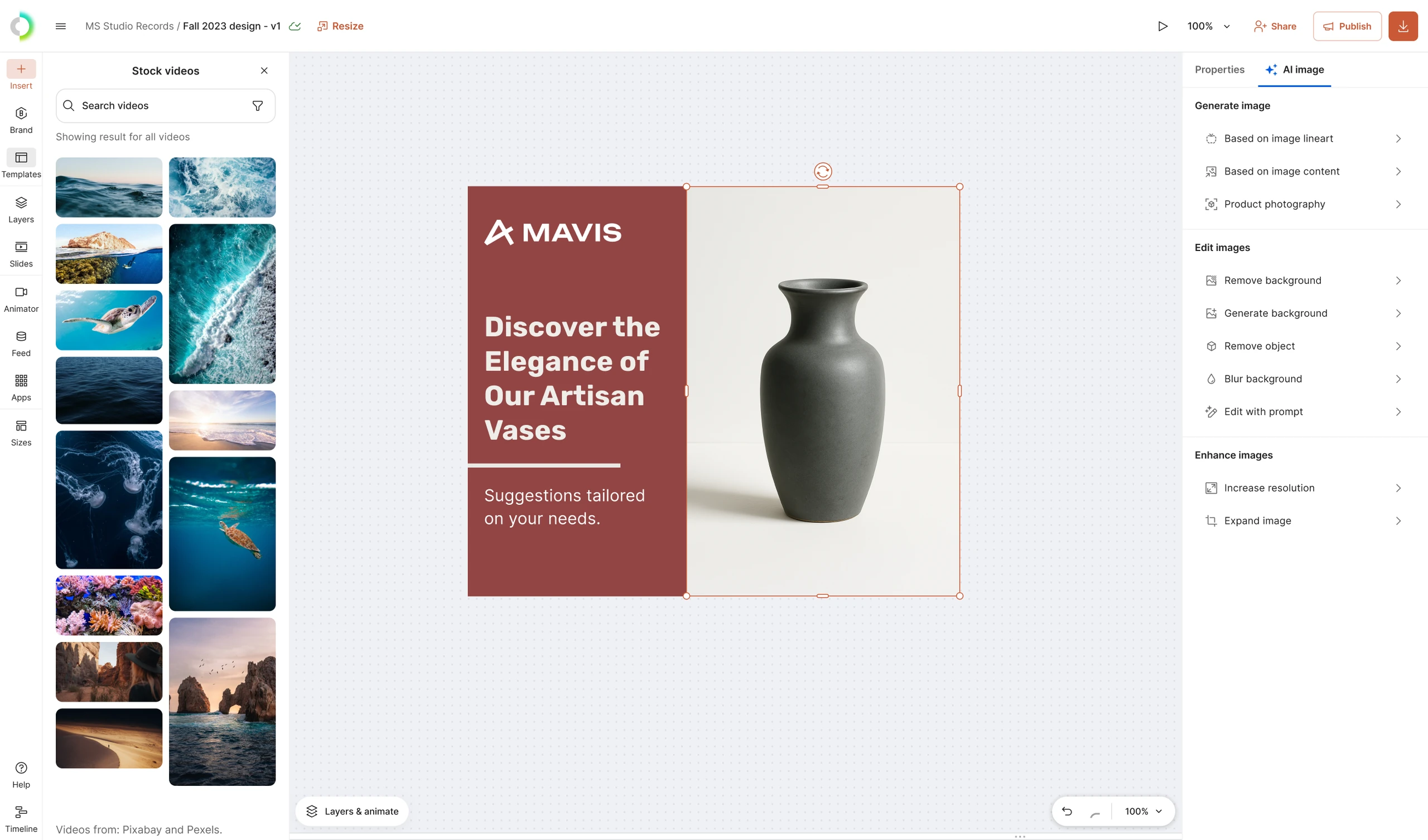
Every new feature landed in the editor, on the same panel as the rest of the image controls.
Where it started: Flux.AI
⤢ Click to zoom
Isolate the product from the creative, describe a new scene in the chat prompt, and Flux.AI renders it there. Click to zoom in and pan across it.
The product comes straight from the creative, so it stays exactly the same
An upgrade: Gemini 2.5 Flash, aka Nano Banana
⤢ Click to zoom
Same interface, better engine: the default model swapped from Flux Kontext to Gemini 2.5 Flash, the one the public came to know as Nano Banana. Click to zoom in.
The panel was built for the model underneath it to change
An addition: reference images
⤢ Click to zoom
Steer the result with up to 10 reference images, pulled from the Brand Kit or uploaded fresh. Click to zoom in.
A new medium: video
⤢ Click to zoom
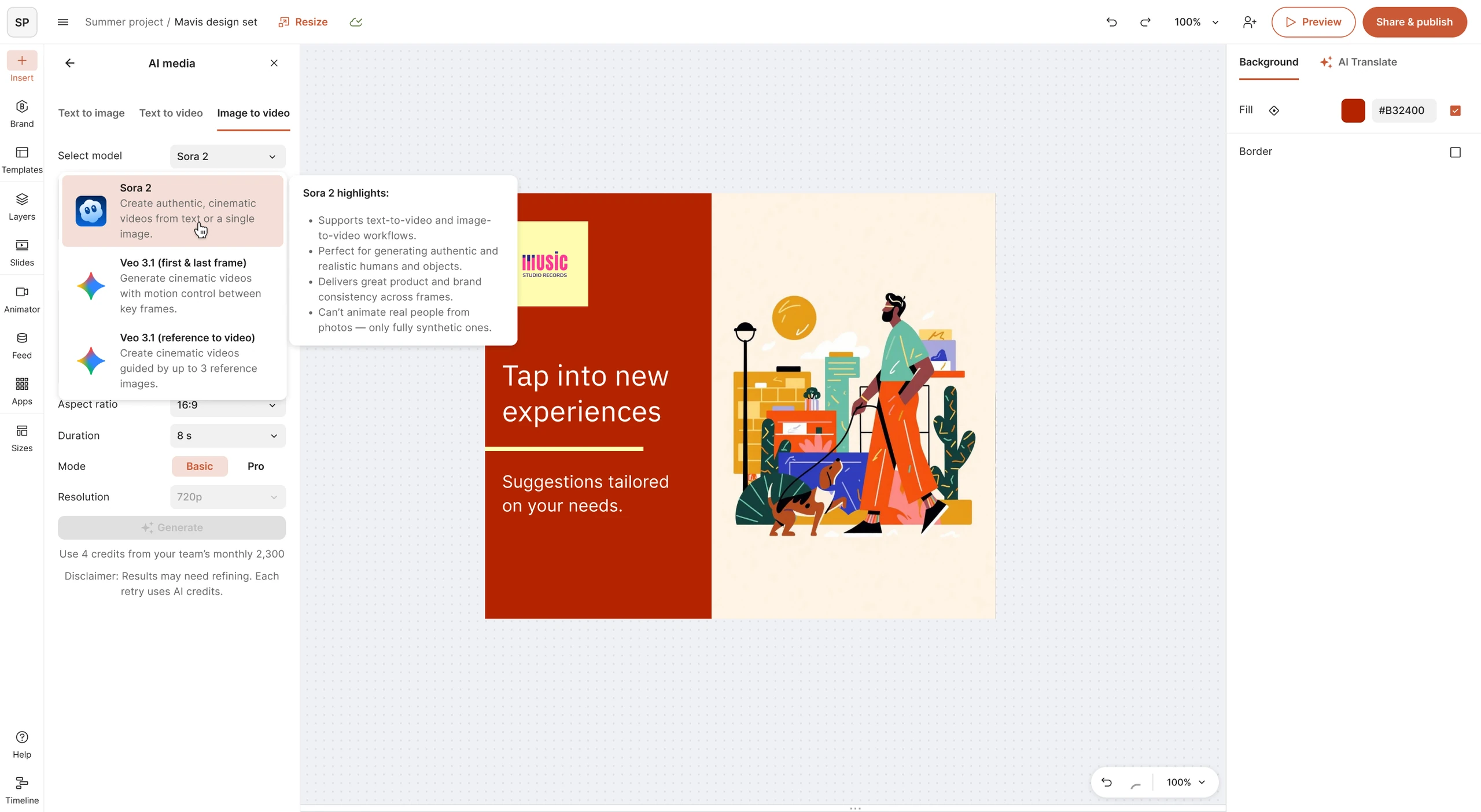
Then video, with a range of models behind one panel. Sora 2 for text-to-video and image-to-video; Veo 3.1 for first-and-last-frame motion and reference-guided clips, each with an explainer for what it’s good for. Click to zoom in.
⤢ Click to zoom
Image-to-video, straight from a creative already on the stage. Click to zoom in.
Each new model and feature landed in the same editor, so nobody had to relearn the workflow