The Goal
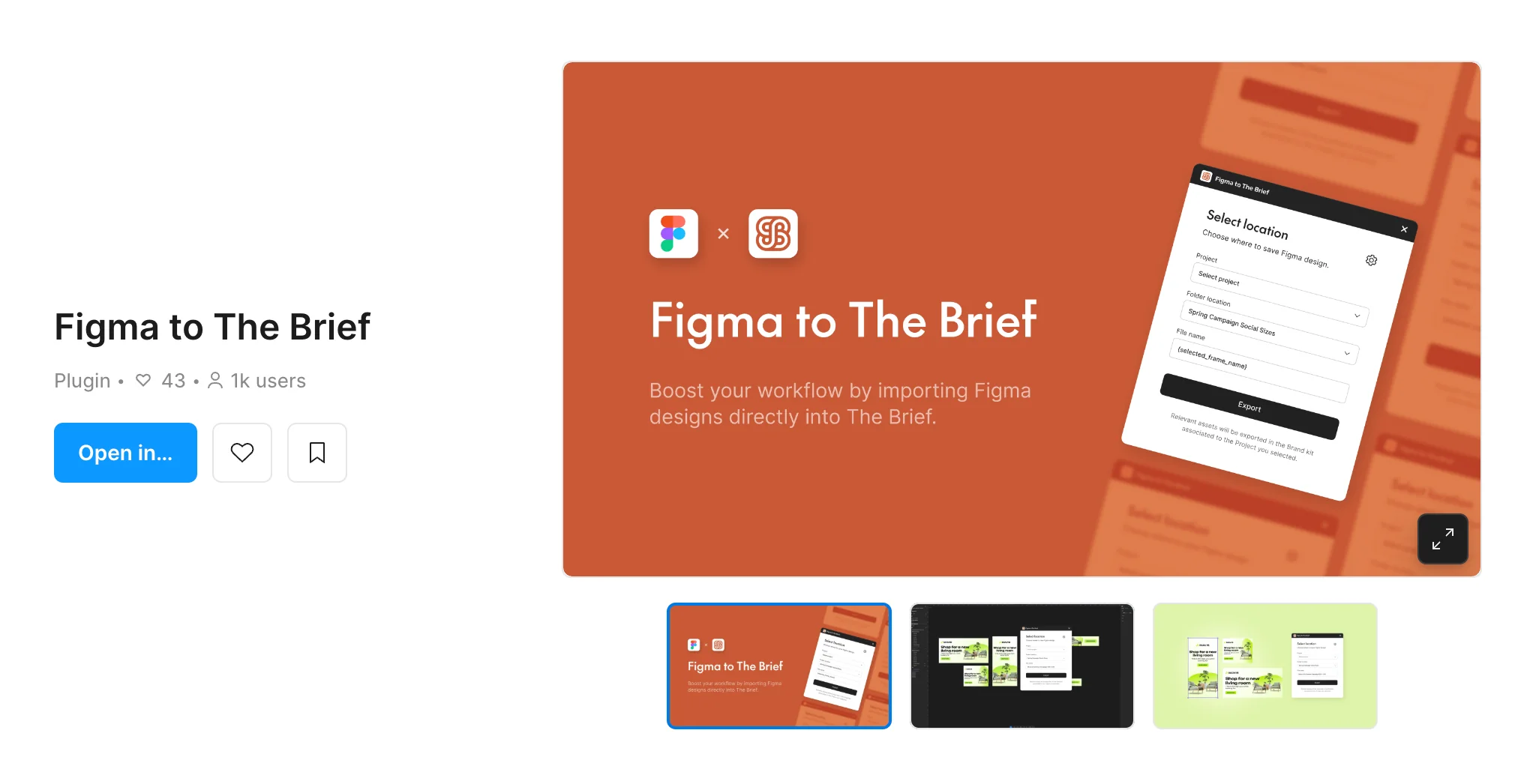
Figma Import was part of The Brief's shift to sales-led growth: product built specifically to help the sales team win and keep enterprise accounts. Enterprise users designed in Figma but needed Ad Studio's animation, ad-scaling and export tools, and rebuilding every asset by hand was a major friction point. The goal was a seamless bridge over the Figma API that brings their designs straight into Ad Studio, saving hours of manual work.
Competitive Research
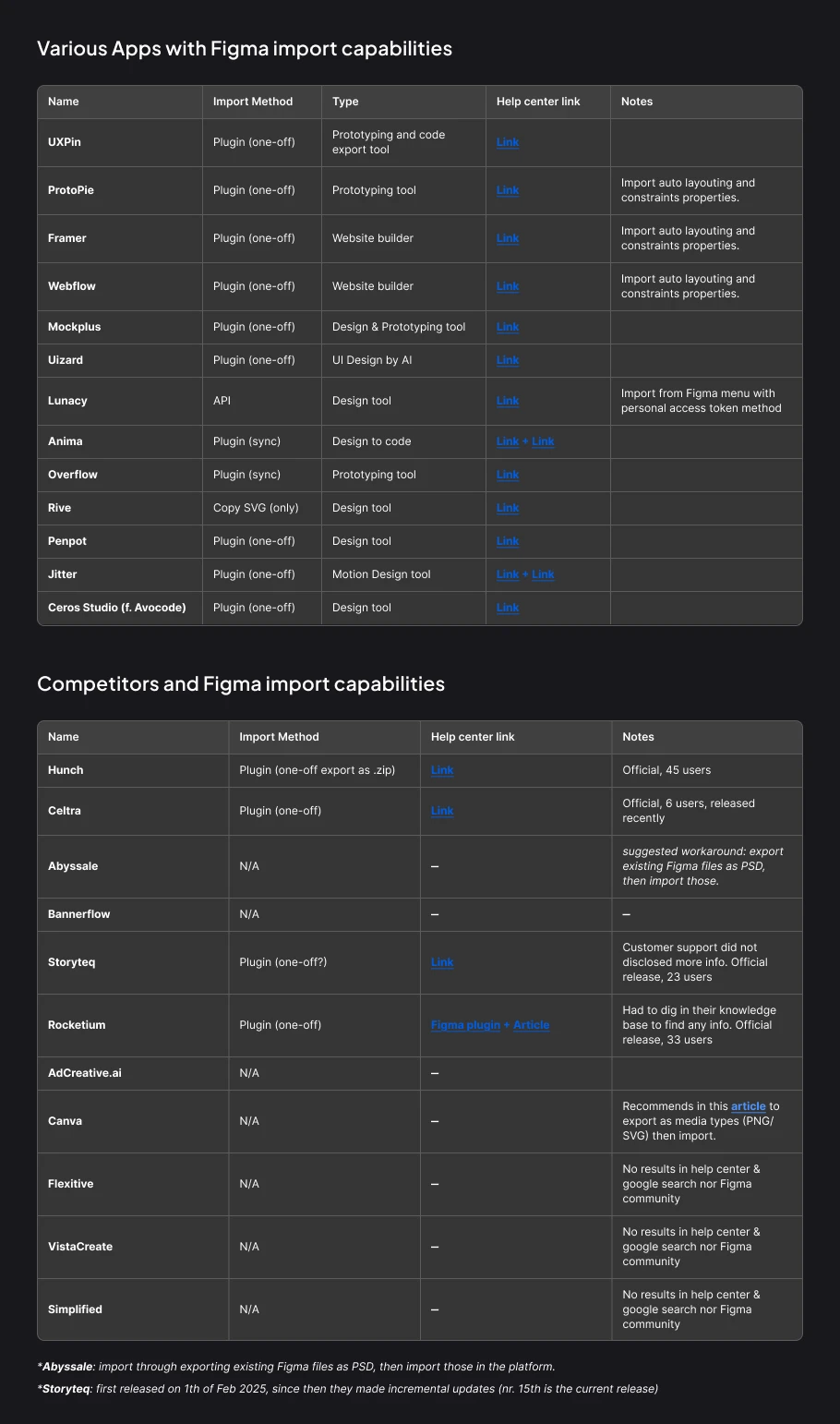
Before designing, I mapped how Figma import works across the broader tool landscape and, more pointedly, across our direct competitors. Most relied on one-off export plugins, and several competitors had no real path at all, just PSD workarounds. That gap is what made a first-class, in-platform import worth building.
Constraints & Challenges
The happy path was the easy part. Most of the design went into the API’s technical limits.
- Translation Logic
- Mapping Figma's complex node structures, auto-layout and nested frames, onto our platform's specific canvas architecture.
- Edge Cases & Errors
- Handling unsupported Google fonts, file sizes large enough to time out the API, and masking that doesn't render 1:1 because the feature isn't in our editor yet.
- Dev Collaboration
- I worked lock-step with backend engineers to learn what the API could actually return, then designed the UX around those limits.
The Flow
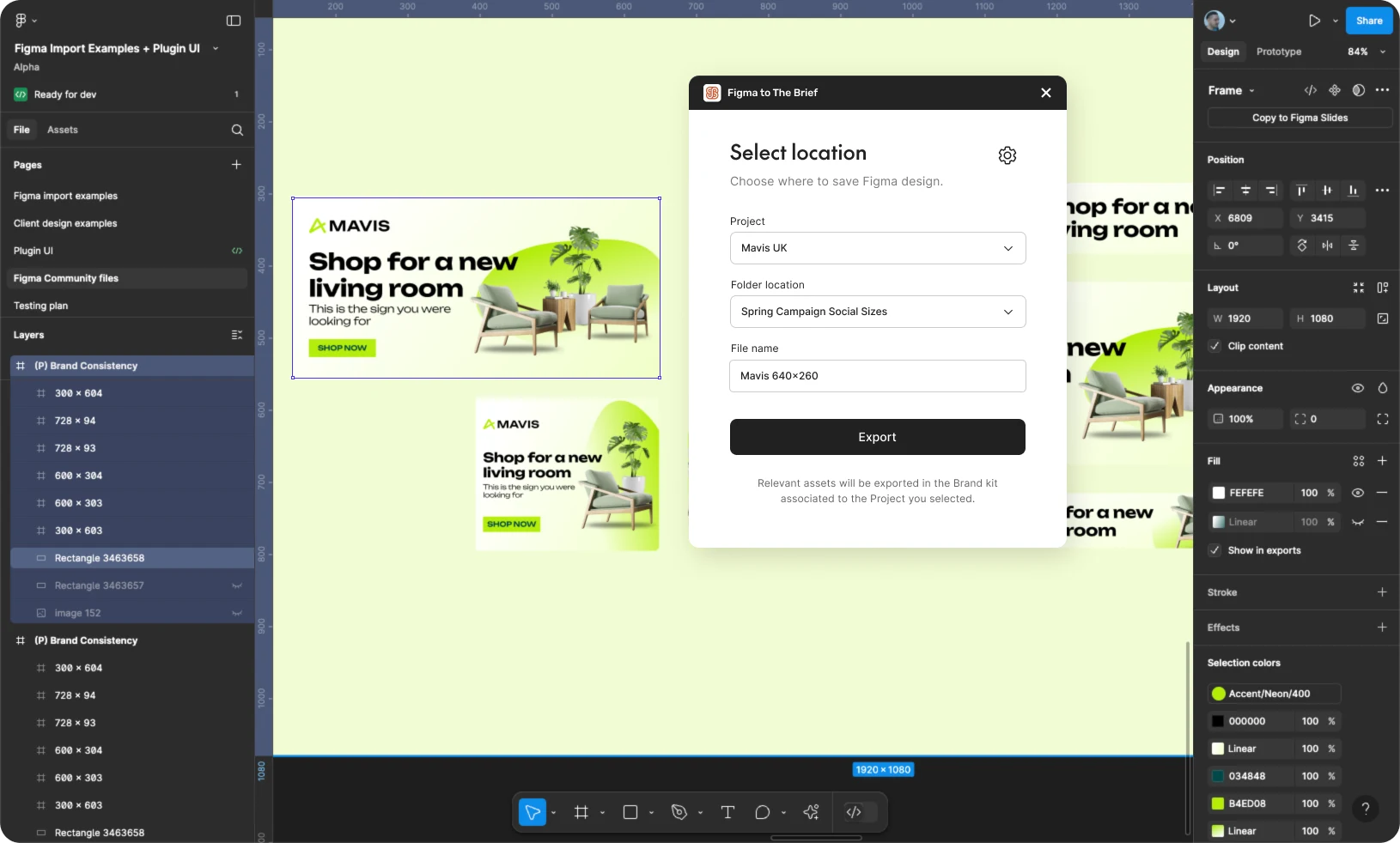
The end-to-end plugin flow, from connecting your team to opening the finished file back in Ad Studio.
Connect once
Designers authenticate with their Creatopy API credentials. The form points to exactly where to generate them and shows a clear success state on connect.


Choose where it lands
Once connected, a three-field form covers Project, Folder location and File name. Interactive dropdowns navigate the whole workspace hierarchy without leaving Figma, and the file name defaults to the selected frame's name.


Fail gracefully
If no top-level frame is selected, the plugin says exactly what to do, heading off the error before an export is ever triggered.

Export, then open in Ad Studio
One click exports. An inline progress state runs while assets generate, then a success state links straight to the new file in Ad Studio.


Outcome & Takeaways
- Impact
- Figma and PSD import together were a key factor in 10+ new enterprise teams choosing the platform, worth over $40K MRR, since they let teams bring existing designs in instantly instead of rebuilding by hand.
- Process
- Shipped a lean MVP first, choosing a simple missing-font fallback over a full font-mapping UI and saving two sprints of engineering time.
- Takeaway
- Looking back, I’d move the checks in front of the export. The plugin already stopped you when no frame was selected, but missing fonts, oversized files and masking only showed up after the import. Flagging them inside Figma, while the designer could still fix them, would have saved round trips.
Design Handoff
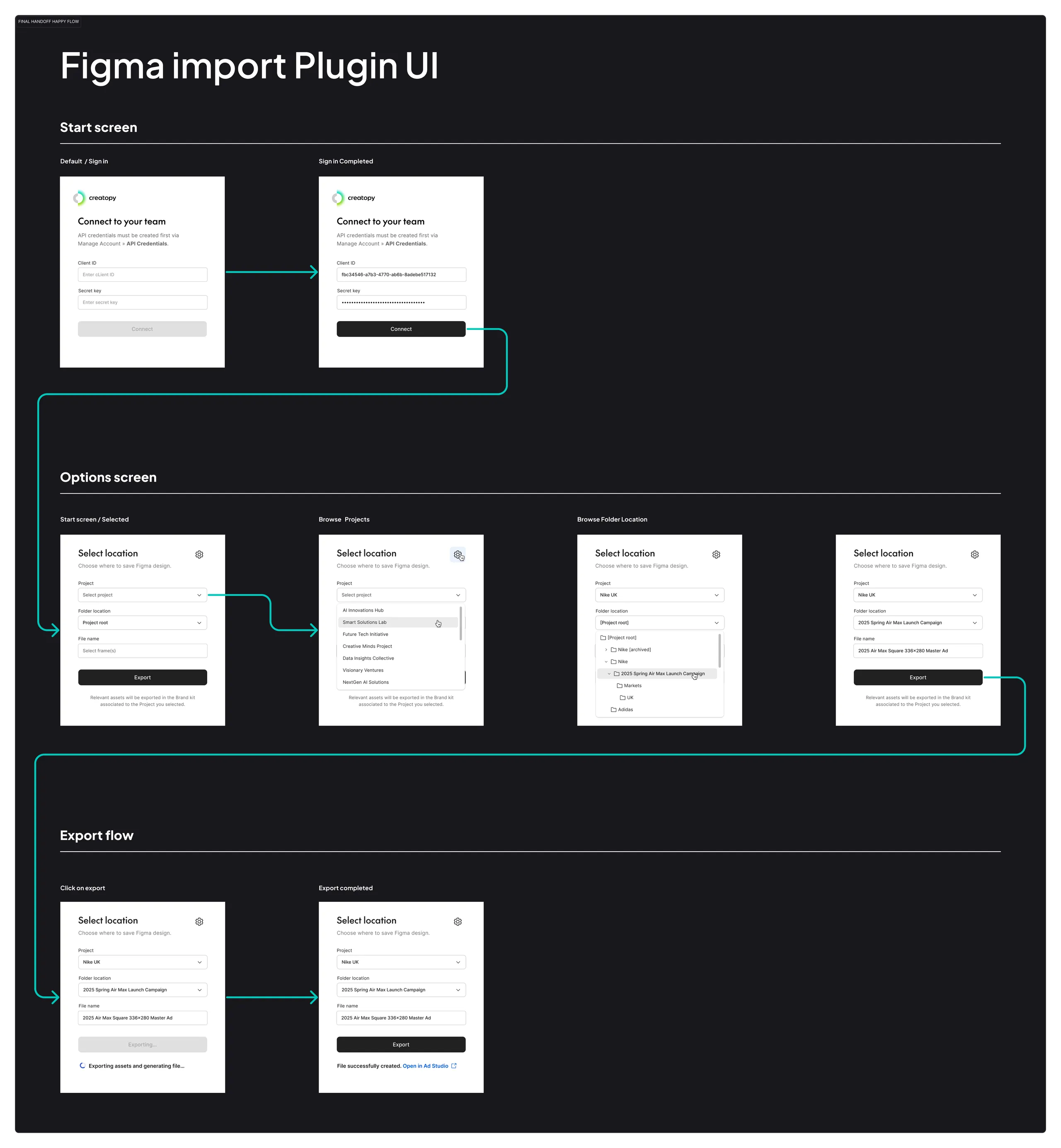
The complete annotated flow delivered to engineering, showing every plugin state, interaction path and component across authentication, destination selection, validation and export. Annotations call out the edge cases and API behaviour for each screen.