The Brief Design System: re-architecting the foundation
The MUI-based design system I built for Ad Studio, which then became the design language for redesigning the whole Creatopy platform. A three-layer token architecture and a full component library, built to code with engineering in Storybook.
 ⤢ Click to zoom
Why rebuild it
The platform had outgrown its original system. As the editor grew more complex, the old library couldn't keep pace: inconsistent components, values that drifted between design and code, and no clean foundation to build new surfaces on.
So I re-architected the whole thing on a new MUI foundation, rebuilding the structure from the tokens up so the system could scale with the product.
It started with one product. Ad Studio was the first surface built on the new system, the proving ground for the tokens, the components and the engineering workflow. Once it held up there, the same system became the design language for redesigning the rest of the platform. See Ad Studio, the product it first shipped in →
How it composes: atoms, molecules, and a full element matrix
The system is built to compose. Atoms are the smallest sanctioned pieces: a label, a select, a text field, a toggle, an icon button, a colour control. Molecules assemble those atoms into the functional rows of the editor's properties bar. Nothing in a molecule introduces a new value; it only arranges atoms that already exist.
The hardest part was the combinatorial problem underneath: the editor supports many element types, each with a different set of editable properties. A text layer, a video, a countdown and a particle effect don't expose the same controls.
So I mapped the whole space as a matrix: every element type against every property, with the correct property bar resolved for each combination, all from the same atoms and molecules. That's what keeps the editor coherent no matter what the user selects, and it's the structure that makes adding the next element type a known, bounded task instead of a redesign.
 ⤢ Click to zoom
 ⤢ Click to zoom
 ⤢ Click to zoom
The architecture: tokens and type
Underneath the components sits a three-layer token model, each layer building on the one beneath it. Primitives define the raw palette and scales; a semantic layer maps those primitives onto meaning; and components consume only the semantic layer, so the rest of the system never references a raw hex or pixel value directly. It references intent.
This is the whole point of the structure: because components reference semantic tokens and semantic tokens reference primitives, a single change at the bottom flows through the entire system without hunting through files. You rename an intent once instead of hunting down a thousand hex values.
Real tokens from the system. Note the naming: intent first (Action, Text, Warning), never the colour. Even alerts get their own semantic sub-group.
Type follows the same rule. Inter carries the whole UI, and every step is a named token with a fixed size, weight, line-height and letter-spacing, so type is applied by role rather than eyeballed per screen.
Inter · 600
Inter · 400
Inter · 500
Real type tokens, named by role so the ramp stays consistent across every surface.
Governance: what's in the system, and what isn't
On the atoms page I split every element into “components used” versus “variants or ideas only.” Sanctioned atoms on one side, exploratory work clearly fenced off on the other.
That line matters more than it looks. It tells anyone opening the file exactly what's safe to build with and what's still thinking-out-loud, which is what stops a system from quietly sprawling into a dozen near-duplicate buttons.
 ⤢ Click to zoom
Key decisions
Build on MUI, then bend it to fit
I based the system on Material UI rather than inventing every primitive. It gave engineering a structure they already understood and a known accessibility baseline. The defaults didn’t fit, though. None of MUI’s three sizes worked: even the smallest was too big for a control-heavy properties panel, and buttons elsewhere needed to be larger. So I rebuilt the scale at 28, 36 and 42px and restyled radius, padding and colours to match.
Three layers of tokens
I split tokens across primitives, a semantic layer, and the components that consume them, rather than letting anything reference raw values directly. It's more upfront structure, but it's what makes the system maintainable at scale.
Govern by drawing a hard line
I made the sanctioned-versus-exploratory split explicit in the file itself, rather than keeping it in my head. Anyone opening the file can see what’s safe to use.
Design-to-code parity
I worked directly with engineering to build the components in Storybook, the full set: inputs, buttons, selects and the rest, so the design source of truth and the coded source of truth were the same thing.
The shared MUI base and the semantic token layer are what made that parity practical: when design and code speak the same structural language, handoff stops being a translation exercise and the gap where drift creeps in mostly closes.
We proved the whole pipeline in Ad Studio first, design tokens to Figma components to Storybook to shipped UI, then rolled the same components out as the platform was redesigned around them.
 ⤢ Click to zoom
How it got to 95%
After Ad Studio, Brand Kit, Templates, the share link and the Dashboard moved onto the system, with Storybook as engineering’s single source of truth.
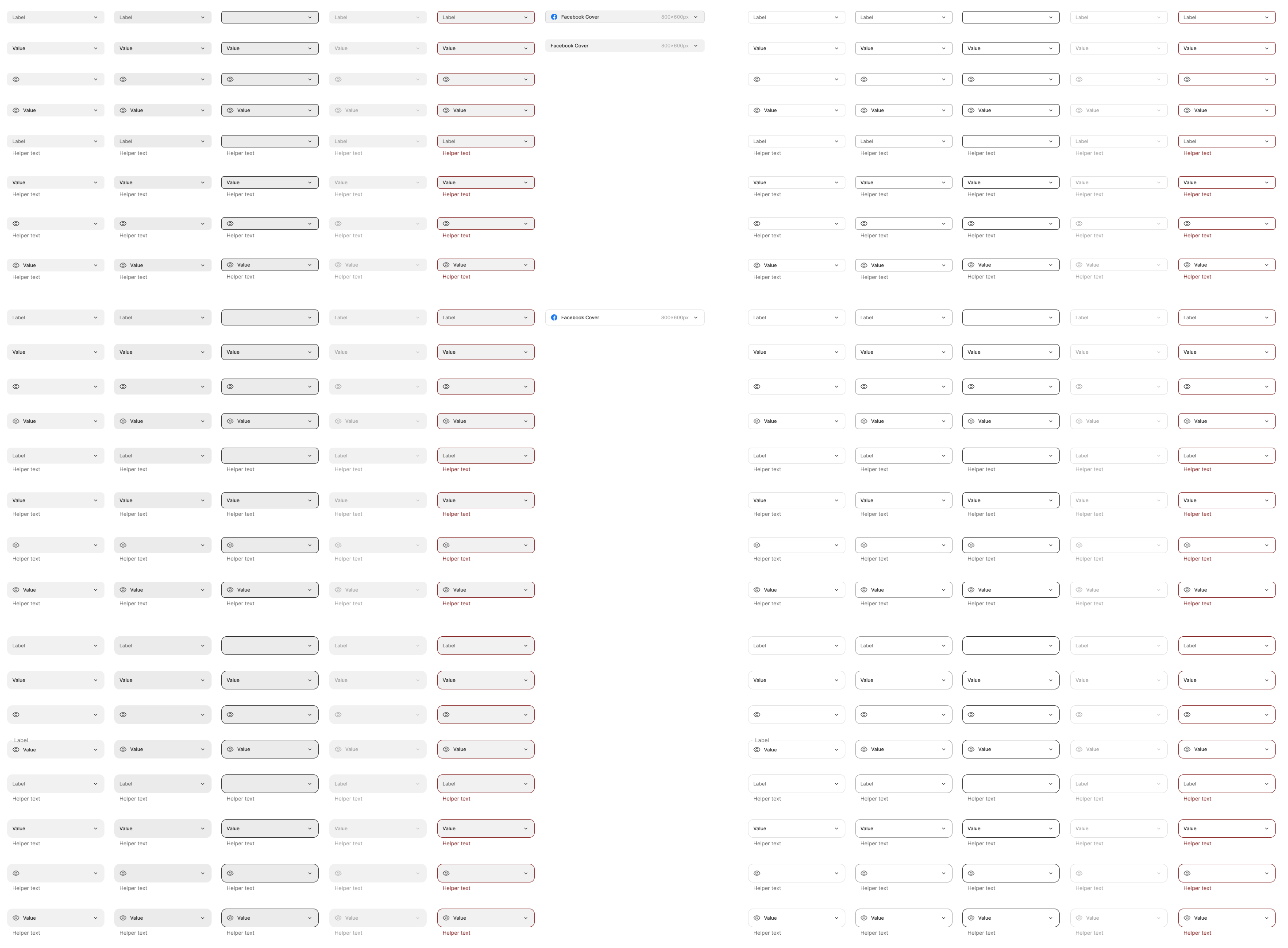
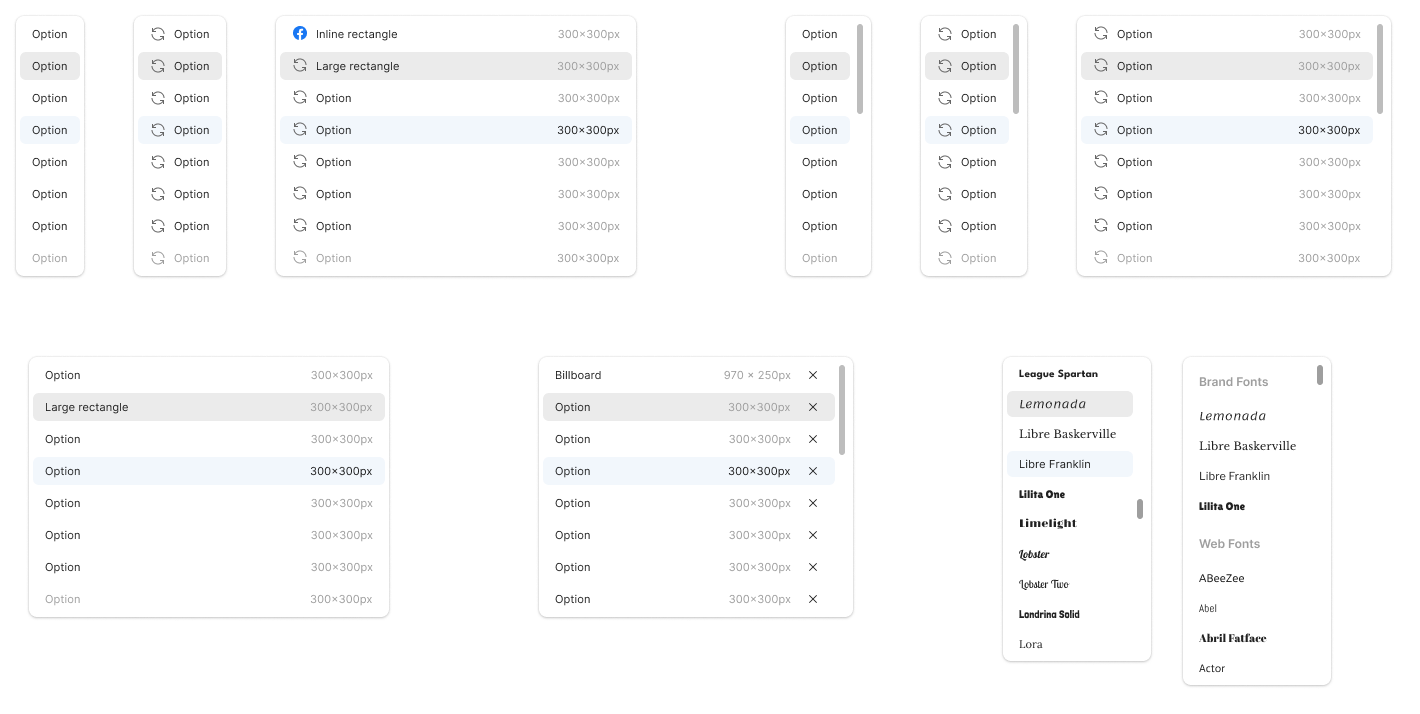
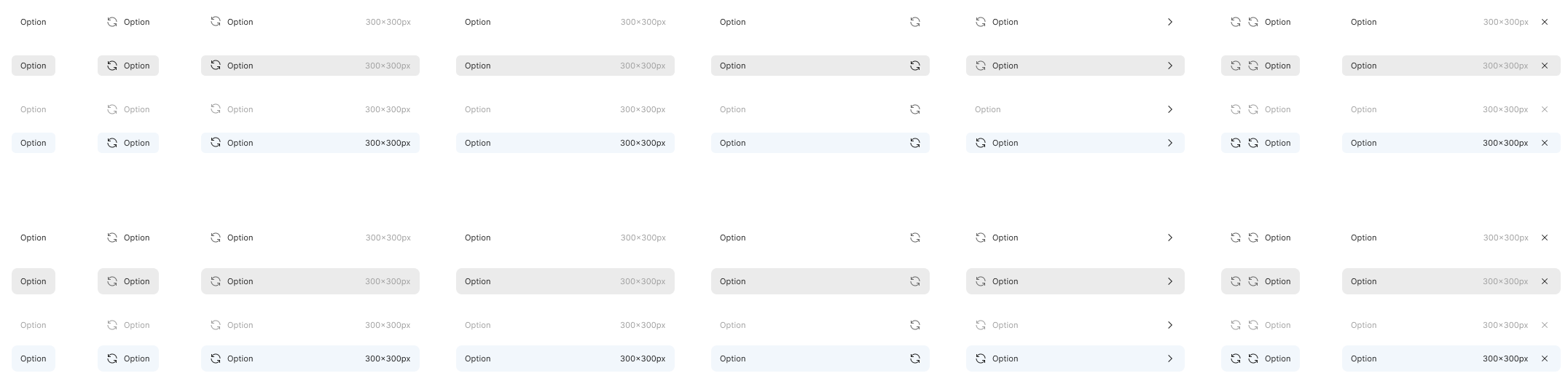
Adoption was checked twice. Every Figma component had a matching name in Storybook, so developers could find the coded version of anything in a design. In design review we compared each build against its Figma component, down to the label’s size, colour, weight and family and the button’s size, radius and background. In code review, engineers checked that every component came from Storybook.
Before the system, several developers could each build their own version of the same thing, like a dropdown with icons and text. The system shipped one selector with its variants, the menu that opens from it and the items that menu can hold, and we saw fewer QA issues as a result.
The pushback was speed. Developers hit cases the library didn’t cover yet, and the Storybook check in code review added time. So surfaces moved onto the system when a feature touched them anyway, and a missing component was added when a story needed it. That way adoption rode along with roadmap work.
The last 5% was legacy screens, a few specialised one-offs and corners of the product that rarely saw development work. None of it mattered enough to migrate for its own sake, and users didn’t feel the difference.
 ⤢ Click to zoom
 ⤢ Click to zoom
 ⤢ Click to zoom
Outcome
Method Code audit by the engineering team after v1 shipped: 95% of the UI components in the product’s front-end code came from the system library.
- From one product to the whole platform. Proven in Ad Studio, then adopted as the design language for redesigning the rest of the Creatopy platform.
- A scalable foundation the platform's newer AI-native surfaces are built on, instead of a library actively slowing the work down.
- Predictable change. The three-layer token model means a foundational update flows through the whole system without manual hunting.
- Tighter handoff. Storybook parity and a shared MUI vocabulary cut the translation work between design and engineering.
- A coherent system, held together by an explicit line between what is sanctioned and what is exploratory.
Reflection
The speed pushback taught me to budget for the gaps. Adding components only when a story needed them kept teams waiting. Time set aside each sprint for missing pieces would have taken that friction out sooner.